A pixel critter that watches your coding agents.
Tokibot is a tiny e-paper gadget on your desk. Its mood shows what Claude Code, Codex, Gemini CLI, Cursor and friends are up to: working, waiting for you, asking for permission, done, or stuck at a rate limit. The tokens they burn are its food.
From zero to critter.
needs a coding agentTokibot works with Claude Code, OpenAI Codex CLI, Gemini CLI, GitHub Copilot CLI, Cursor, Devin Desktop (Windsurf), Kiro CLI, Cline, OpenCode and Amp, on a Mac, Linux or Windows computer. Use one or several at once. Only Claude Code reports its 5-hour and 7-day budget, so the budget bars need it.
Get the parts
A Pi Zero 2 WH, a 2.13″ e-paper HAT, a microSD card and a data cable. About € 50–60, no soldering. Shopping list
Flash the image
Download the image and write it to the card with Raspberry Pi Imager. Download
Put it together
Press the display onto the Pi, insert the card and plug the cable into the port labelled USB. Assembly guide
Connect your agents
One install line adds Tokibot's hooks to Claude Code and the other harnesses you pick. For Claude Code there is also a plugin. Step 7
Work as usual
Start your agent. The critter follows along, eats the tokens, levels up and tells you when the agent needs you.
Cloud sessions
Claude Code in the cloud reaches the gotchi through a relay over Wi-Fi. Relay setup
Hooks in, moods out.
Your coding agent calls a small client through its hooks (Claude Code also through its status line; OpenCode and Amp through a small plugin). The client sends a few lines of metadata to the gotchi, over the USB cable or Wi-Fi. The gotchi folds every running session into one mood and draws it on the e-paper display.
# what one hook sends, nothing more
{ "hook_event_name": "PreToolUse",
  "tool_name": "Bash",
  "session_id": "4f1c…",
"project": "my-app" }Small device, big feelings.
Knows your sessions
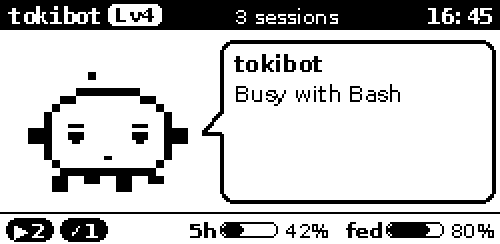
Several sessions, worktrees or agents at once? The one that needs you most wins. The footer counts sessions that are working, waiting and done, plus your 5-hour and 7-day budget.
Grows with your work
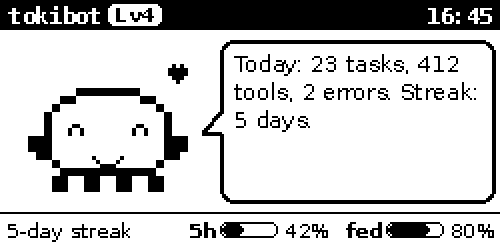
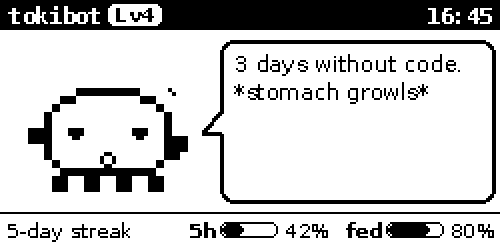
Finished replies, tasks and tool calls earn experience. The critter levels up, keeps a daily streak, sums up your day in the evening and gets hungry when you leave it alone.
Its own tiny OS
A slim Buildroot image with a read-only root filesystem. No Debian, no Wi-Fi hacking tools, no SSH. Pulling the plug does not hurt the card.
Works with the cloud
An agent in the cloud cannot see your desk. An optional ntfy relay carries the events to the gotchi over any Wi-Fi, even your phone's hotspot.
Private by design
Only metadata leaves your computer: event, harness, session ID, folder name, tool name, token counts and limit percentages. Prompts, code and replies never do.
Set up in the browser
Wi-Fi, time zone, rotation and token live on a small settings page on the gotchi. App updates install from there too, no reflashing needed.
Gotchis make friends.
Take your gotchi to the office, a meetup or a conference. Gotchis that meet notice each other over Bluetooth and earn XP. Two taps make them friends, signed by both. Friends unlock badges and accessories, and working side by side earns 10 % more.
No account, no server, no tracking: the beacon id changes every 15 minutes, and only game data goes over the air.
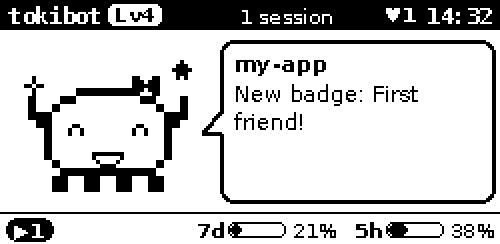
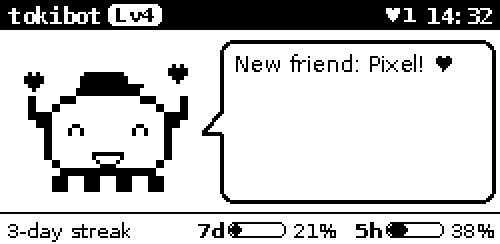
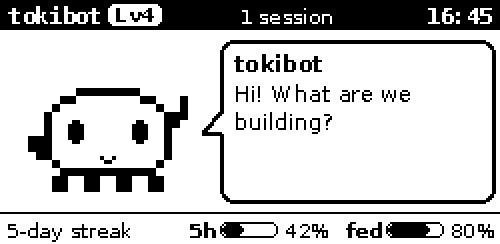
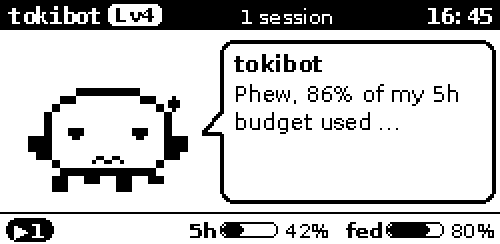
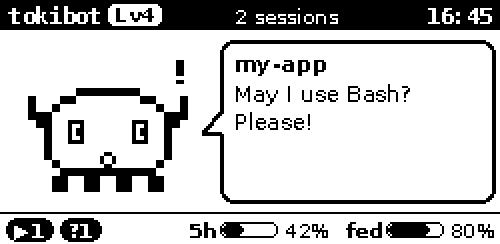
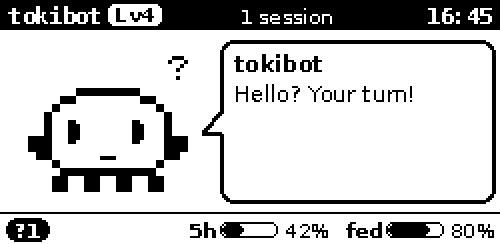
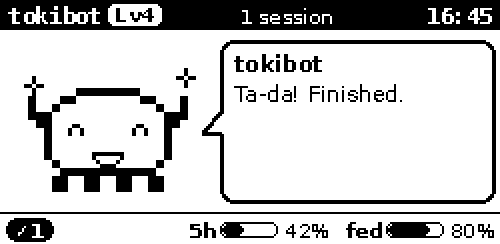
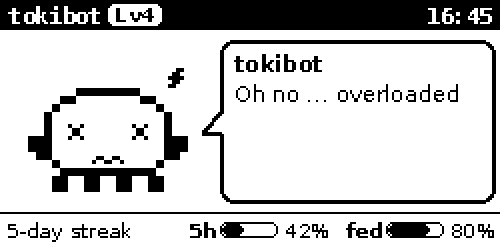
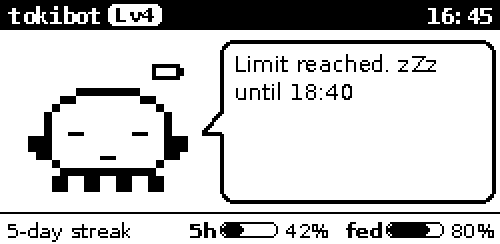
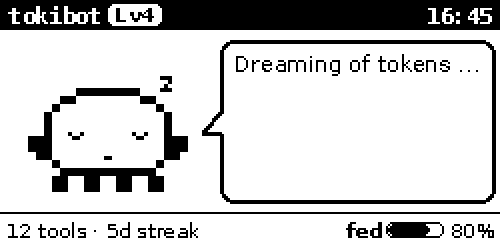
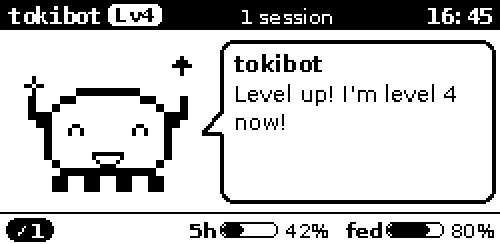
Twelve moods.
Each with its own face and a short line in the speech bubble. Rendered from the same code that drives the display.
Where it stands.
v0.5.0Ready-made images are on the download page. They boot and run on a Pi Zero with the 2.13" e-paper. Bluetooth friends between two real gotchis have only been tried in the simulator so far.